Why is Online Booking an Asset for Your Business?
Installing an online booking system concretely transforms your daily life, whether you're a consultant, therapist, or running a beauty salon. The most direct benefit is the end of phone interruptions. You can finally focus on your core business.
This permanent availability for online appointment booking also opens the door to clientele who would otherwise have escaped you. Think of those who prefer the discretion of a click or who can't call during their work hours. Offering this flexibility means meeting a strong expectation of modern consumers and improving patient management.
Concrete Benefits of an Automated Booking System
The automation provided by a good booking tool generates often underestimated but crucial benefits for your growth.
- Fewer missed appointments: Automatic email or SMS reminders spectacularly reduce the "no-show" rate. It's a simple solution to limit a too-frequent loss of revenue.
- A more professional image: A smooth and modern booking process instantly reinforces your credibility. You appear as an organized business that listens to its clients.
- Precious administrative time savings: Less time spent juggling schedules, cancellations, and rescheduling means more time available for your clients or to develop your business.
Adopting an online booking system isn't just a management tool. It's a real growth engine that improves customer experience, frees up precious time, and solidifies your brand image.
This evolution is particularly visible in the healthcare sector, where telemedicine has acted as an accelerator. In France, there were 11.6 million teleconsultations, with 64% of appointments obtained in less than 48 hours, a speed unthinkable with traditional methods. The fact that 95.4% of patients declare themselves satisfied confirms this growing trust.
For healthcare professionals, this transformation has become a pillar. It touches their entire online presence, as we explore in our article on the importance of a website for a practitioner. Offering online booking means investing in the efficiency and sustainability of your business.
Choosing the Right Online Appointment Booking Tool for WordPress
Finding the right plugin for online appointment booking is a key step. The market is full of options, and it's easy to get lost. The best approach is to start from your real needs, because a sports coach managing individual sessions won't have the same expectations as a law firm billing hourly consultations.
How to Evaluate Plugins According to Your Needs?
To see more clearly, define your essential criteria. Don't be seduced by an endless list of features you'll never use. Focus on what really matters for your business.
Here are the essential points to check:
- Integration fluidity: If you use Elementor, make sure the plugin is perfectly compatible for a seamless user experience.
- Synchronization reliability: This is essential. Synchronization must be bidirectional with your main calendar (Google Calendar, Outlook, etc.) to avoid double bookings.
- Payment simplicity: Do you plan to ask for a deposit or full payment? Check integration with platforms like Stripe or PayPal.
- GDPR compliance: The tool must allow you to manage personal data properly, particularly for consent and information security. This is a crucial point for your patient base trust.
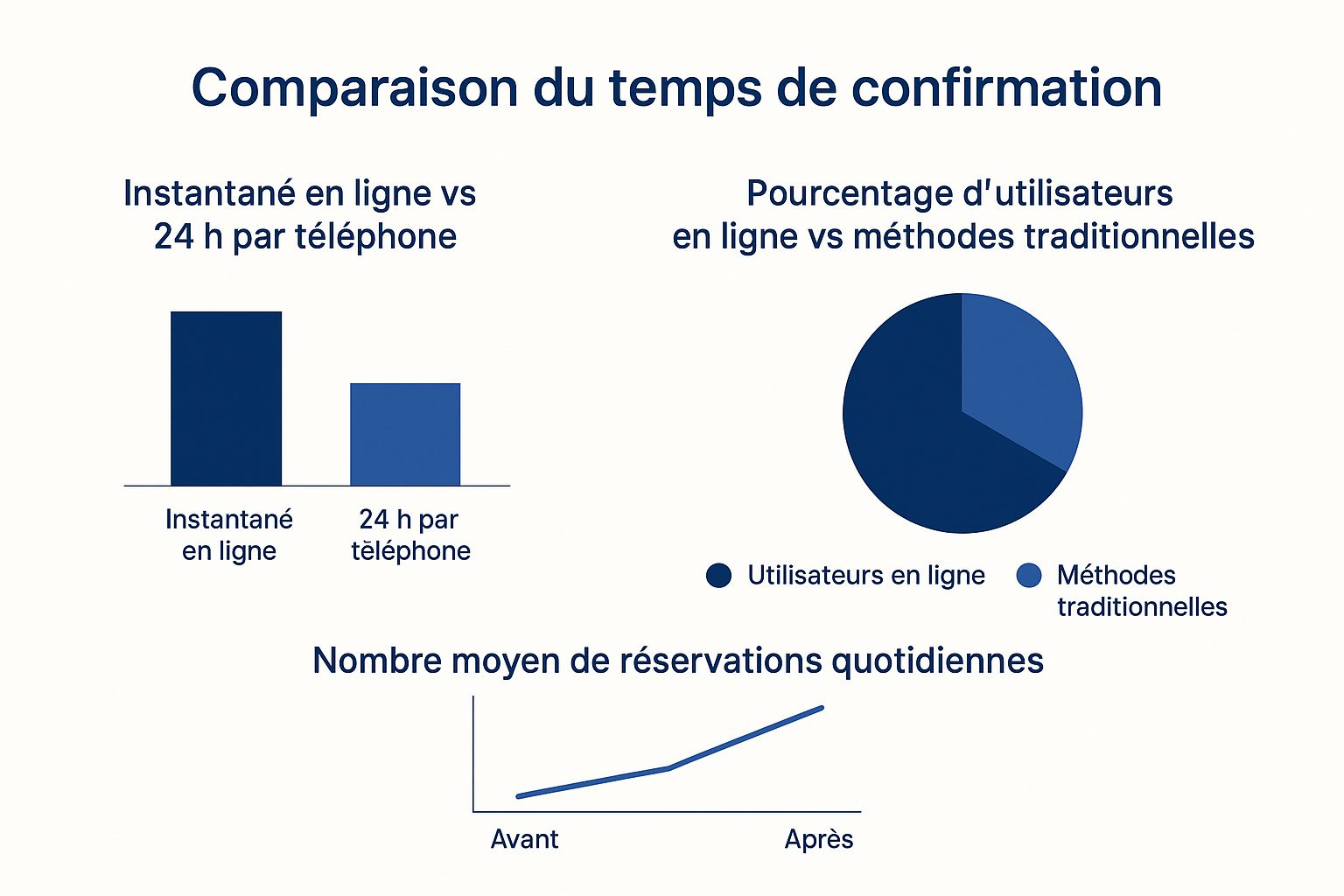
Going digital accelerates confirmations and ultimately increases appointment volume.
Reliable Options on WordPress
The official WordPress.org directory is an excellent starting point. You'll find solid references like Amelia, Bookly, or Simply Schedule Appointments.
My advice: don't choose a plugin just for its price. Take the time to test its free version or demo. The best tool is the one that saves you time, not the one that wastes it on settings.
To summarize, Amelia is often praised for its design and rich features, perfect for structures with multiple employees. Bookly is another reliable choice, highly customizable. Finally, Simply Schedule Appointments shines for its simplicity, ideal for freelancers who get straight to the point.
Configuration: How to Set Up Your Booking System
The tool is chosen, it's time to get practical. You're going to transform a simple plugin into a personal assistant that works for you, 24/7, for your online appointment booking. The goal is that each setting perfectly reflects your way of working, for example by defining services with distinct durations and rates.
Define Your Services and Availability
The success of your online calendar rests on what you offer and when you're available.
- Service creation: Describe each service, set its duration and price. Transparency is crucial so your clients know what they're booking.
- Schedule management: Indicate your working hours, breaks, holidays. Most tools allow managing different schedules if you have collaborators.
- Buffer times: Add a 5 or 10 minute "buffer" between each appointment. This gives you room to breathe or prepare for the next reception.
A well-thought-out schedule is the best insurance against double bookings and guarantees a smooth client experience.
Customize Communication and Visual Integration
A good booking system communicates. Customizing messages transforms a robotic interaction into a warm client experience.
Configure confirmation emails to your image, integrating practical information (address, map, etc.). Activate automatic email or SMS reminders, your best asset to reduce the number of missed appointments.
Visual integration is equally important. If you work with a page builder like Elementor, your booking module should blend into your site's design.
See how Elementor allows integrating elements, like your calendar, with simple drag-and-drop.

This flexibility is a real plus, a point we address in our guide to creating a therapist site with Elementor.
Configuration isn't just a technical matter. It's the art of translating your way of working and your client relationship into an automated, reliable, and human process.
Today, 72% of French practitioners rely on digital tools for their communication and scheduling, and 75% of healthcare establishments have increased their digital budget, proof of the strategic importance of these solutions.
Optimize the Booking Experience to Convert More
Your system is in place. But is that enough? For a visitor to become a client, their online appointment booking journey must be fluid, simple, almost invisible.
The secret is simplicity. See each field to fill, each unnecessary click, as an exit door. Your mission is to plug these exits by eliminating the slightest friction. Only ask for the strict minimum: a name, an email, and a phone number are often sufficient.
Take Care of Details to Make a Difference
The impact of small adjustments is often underestimated.
- Buttons that speak: Instead of a generic "Submit," opt for "Confirm my appointment" or "I'm booking my session." It's more engaging.
- Smart forms: Use conditional logic to only display relevant fields according to the service chosen by the client.
- Clear availability: Present your slots visually. A weekly calendar is often more digestible than a long list.
These settings create a more intuitive journey and build trust.
The best booking experience is one that seems so natural you forget you're filling out a form. The goal is to reduce mental effort so that taking action becomes obvious.
Mobile Priority: An Absolute Obligation
A huge majority of your clients will book from their smartphone. If your form is difficult to use on a small screen, you're losing clients.
Your booking journey must be designed "mobile first." This means big buttons, readable fields, and smooth scrolling. A good plugin compatible with Elementor handles this natively. But test the experience yourself from A to Z on your phone. The difference between a shaky mobile interface and a fluid one can translate into dozens of additional appointments each month.
Ensure GDPR Compliance and Data Security

Your clients' trust is your most precious asset. For an online appointment booking system, managing personal data is a legal and moral obligation, governed by GDPR. Each piece of information collected is sensitive data you must protect.
Essential Actions to Be 100% Compliant
To be compliant and reassure your users, a few actions need to be implemented.
- Consent must be explicit. No pre-checked boxes. The client must actively check a box to authorize the collection of their information.
- Information must be clear. Your form must contain a link to your privacy policy, explaining what data you collect, why, and how the user can exercise their rights.
- Data security is key. Make sure your plugin and web host offer serious guarantees, like data encryption. Favor technical partners respecting GDPR.
GDPR compliance isn't just a constraint. It's a powerful lever of trust. A client who feels secure won't hesitate to complete their booking.
This perception of reliability is crucial. Studies show that while many people still prefer human contact for certain procedures, appointment booking has massively shifted online. To convince the most reluctant, your service must be perceived as infallible.
FAQ: Your Questions About Online Appointment Booking
Even with the best system, questions remain. Here are the most frequent questions from professionals adopting online appointment booking.
Can bookings be synchronized with my professional calendar?
Yes, and it's an essential feature. Most serious plugins offer bidirectional synchronization with Google Calendar, Outlook, or iCal. An appointment made on your site instantly blocks the slot in your calendar, and vice versa. This guarantees flawless organization and avoids duplicates.
Is it possible to request payment when booking?
Absolutely. Modern tools integrate with secure platforms like Stripe or PayPal. You can require full payment, request a deposit to secure the booking, or simply record a credit card imprint. This last option is very effective in reducing the "no-show" rate.
How can clients cancel or modify an appointment?
The best plugins offer a simple client space where your clients can manage their appointments themselves, respecting the rules you've set (e.g., cancellation possible up to 48 hours in advance). This autonomy frees up your administrative time and offers appreciated flexibility. For more answers, check out our complete FAQ section.
Conclusion: Take Action
You now have all the cards in hand to set up an effective and professional online appointment booking system. It's a strategic investment that simplifies your patient management, reinforces your image, and frees up precious time.
Ready to offer your patients a simple, fluid, and professional booking experience? Discover how Vitalisite can transform your site into a real assistant for your practice.